Tampa Bay homeowner guide
Local permit matrixVerify a plumbing license and find the right Tampa Bay permit office
A Florida license lookup, a local permit decision, and a final inspection are separate checks. This guide gives homeowners a repeatable way to verify the contractor in the State record, identify the authority for the exact property address, describe the actual plumbing scope, and keep the records that prove what was approved and completed.
On this page
The short answer
What to do first
Before authorizing planned plumbing work, complete two independent checks: verify the contractor's current Florida record through DBPR, then confirm the permit path with the city or county that has jurisdiction over the exact property address and written scope. Do not assume the permitting office from a mailing address, utility bill, directory listing, or nearby project. A Plumbers in Tampa Bay Verified badge confirms directory details only; it does not establish a state license, insurance, permit, inspection, workmanship, or endorsement.
Start here
Complete the three checks in order.
Start with the contractor record, route the exact property to an authority, then preserve the issued permit and final result when required.
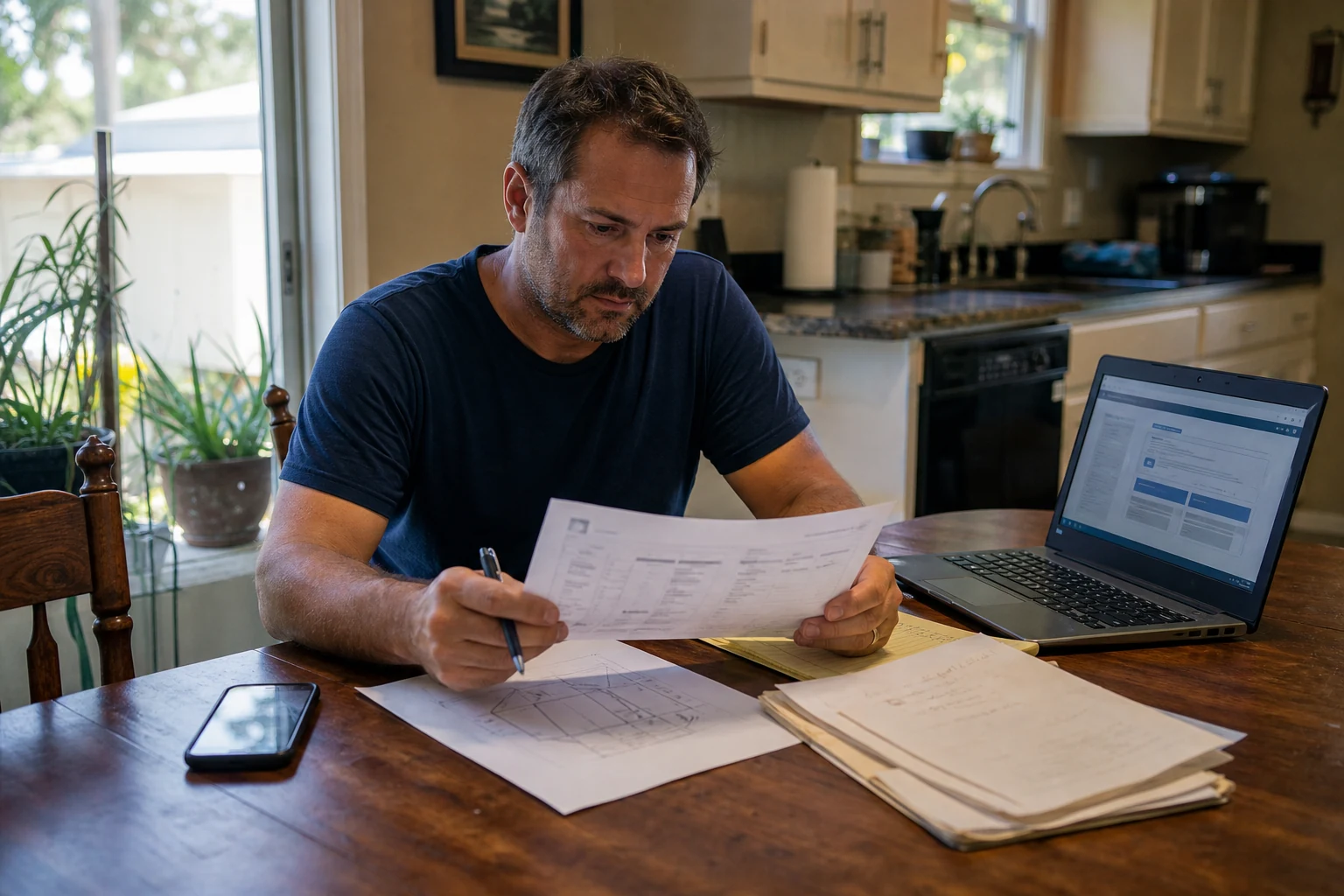
Five things to remember
- Verify both the individual and business shown on the proposal in Florida's official DBPR record.
- Identify the permitting authority from the exact property address—not only the city name in the mailing address.
- Ask about a written scope; a leak, remodel, repipe, or replacement can involve different permit questions.
- Confirm who applies, what must remain visible, which inspections apply, and what proves final approval.
- Keep the license search, permit decision, approved changes, inspection result, invoice, and warranty in one file.
Permit routing matrix and project verification worksheet
Print the jurisdiction starting points, then record the address, contractor record, written scope, permit decision, inspection path, and final documents.
Keep license, permit, and inspection decisions separate
Each answers a different question. Completing one does not automatically complete the others.
Verify the Florida record
Match the proposal to the current DBPR record for the individual, business, license type, number, status, and association.
Ask the local authority
Give the exact property address and written project scope to the city or county with permitting jurisdiction.
Preserve the inspection result
Confirm required inspections, approved changes, and the record that shows final status—not only an application or payment receipt.
Control the hazard first
Use emergency, utility, building, and qualified-professional instructions before paperwork when water, electricity, gas, sewage, fire, or structure creates an urgent risk.
Match the proposal to Florida's official license record
Use DBPR's current search directly. Search more than one detail when business names or personal names are similar.
Collect from the proposal
- Individual contractor or qualifier name
- Exact legal business name
- License number and license type
- Business address and contact information
- Person who will sign or supervise the work
Compare in DBPR
- Current status and expiration information shown in the record
- License type and any scope limitation
- Individual-to-business association
- Exact spelling and number rather than a similar result
- Any official detail that conflicts with the proposal
Record the check
- Date and time searched
- Official result URL or saved PDF/screenshot
- Name and number actually matched
- Question sent to DBPR or the contractor when a detail is unclear
- Updated search before work if the project is delayed
Turn an address into the correct permit starting point
Do this before interpreting a permit rule. A postal city, utility provider, neighborhood, tax district, and building jurisdiction can describe different boundaries.
Use the exact service address
Copy the complete property address from a reliable property record. Include the unit, building, parcel, or suite detail needed to distinguish the work location.
Check the incorporated-city boundary
Use the official city or county property, city-limits, or permit-record route. Do not infer jurisdiction from the mailing city or the water bill.
Describe the full work scope
State what will be repaired, replaced, moved, installed, opened, excavated, energized, vented, or restored and which related trades or shared systems may be involved.
Ask the office to confirm responsibility
If city-versus-county authority remains unclear, contact the candidate offices with the exact address and ask which authority accepts and inspects that scope.
Record the answer before relying on it
Save the office, contact or portal, date, address, scope described, answer, and any condition that would change the answer.
Start with the office for the exact property address
This is a routing matrix, not a permit decision. Verify city limits and jurisdiction before relying on a row; an address can use a city name without being inside that city's permitting authority.
Swipe sideways to see every column| Authority | Property-address boundary | Official route and current contact | Reviewed | What to ask |
|---|---|---|---|---|
| City of Tampa Construction Services | Property inside City of Tampa permitting jurisdiction | Use the City's Construction Services and trade-permit pages; 813-274-3100, option 1; CSDHelp@tampagov.net at review time | Aug 29, 2026 | Does this address and written scope use a residential, commercial, trade, or related permit and inspection route? |
| Hillsborough County | Unincorporated Hillsborough County and property assigned to County permitting | Use the County homeowner-permit and exemption pages; 813-272-5600 at review time | Aug 29, 2026 | Does a listed exemption apply to this exact repair, or do related plumbing, building, electrical, right-of-way, or inspection steps still apply? |
| City of St. Petersburg | Property inside St. Petersburg permitting jurisdiction | Use Construction Services and Permitting and the current online portal; 727-893-7231 at review time | Aug 29, 2026 | Which record, trade application, contractor, and inspection path applies to this address and complete scope? |
| Pinellas County Building Services | Unincorporated Pinellas and the partner communities listed in the current County guide | The reviewed guide lists Belleair Beach, Belleair Shore, Indian Rocks Beach, Kenneth City, Safety Harbor, and Oldsmar among County-served partners; 727-464-3888, option 2 | Aug 29, 2026 | Does the County permit this address, and which application, contractor, inspection, and closure steps apply? |
| City of Clearwater | Property inside Clearwater permitting jurisdiction | Use the City's online building-permit route; 727-562-4567; epermit@myclearwater.com at review time | Aug 29, 2026 | Which permit and inspection route applies to this exact Clearwater address and written scope? |
| Pasco County | Property assigned to Pasco County permitting rather than a municipal office | Use PascoGateway to search records and start applications; 727-847-8126; bcscustomerservice@pascocountyfl.net at review time | Aug 29, 2026 | Does Pasco County or a municipality serve this address, and what trade and inspection records should the owner retain? |
| Manatee County Development Services | Property assigned to Manatee County permitting rather than a municipal office | Use the County development-services and Accela routes; 941-749-3012 at review time | Aug 29, 2026 | Which authority, permit type, contractor information, and inspections apply to this address and scope? |
| Sarasota County | Property assigned to Sarasota County permitting rather than a municipal office | Use the County online-permitting route; 941-861-5000; building@scgov.net at review time | Aug 29, 2026 | Does the County permit this address, and which application, supporting documents, inspections, and final record apply? |
Confirm the current office, portal, email, phone number, and service area before relying on this matrix. City limits, county lines, utility service, postal names, and permitting jurisdiction are not interchangeable.
Use the official record to verify the permit story
The City of Tampa publishes an address-search guide and an Accela portal; other Tampa Bay authorities use their own official portals. Search the exact address and open the full record rather than relying on a contractor screenshot or search-result snippet.
Swipe sideways to see every column| Record field or tool | What to compare | Why it matters |
|---|---|---|
| City of Tampa address-search guide | Follow the City's current search steps before interpreting a Tampa result | The official guide shows the address-search route and reduces false matches |
| City of Tampa Accela portal | Search the exact address, then open the relevant permit and inspection records | A portal result can be checked directly instead of relying on a screenshot |
| Property and unit | Street address, unit or suite, parcel, and project location | A similar address or neighboring permit is not evidence for this property |
| Applicant and permit holder | Name and role shown in the record | It identifies who applied and whether the record matches the promised permit path |
| Contractor or qualifier | Business, individual, license number, and relationship to the proposal | A permit under a different business or person needs an explanation verified through the office and DBPR |
| Scope and permit type | Work description, trade, project type, and related master or trade records | A permit can exist at the address but cover different work |
| Dates and current status | Application, issuance, expiration, inspection, correction, final, closure, cancellation, or other status shown | An application or issued permit is not proof that required work passed final inspection |
| Inspections and corrections | Required inspections, results, failed or partial items, comments, and rescheduled steps | Unresolved corrections can remain after physical work appears complete |
| Revisions and attachments | Approved changes, contractor changes, plans, notices, and documents the portal makes public | The final approved scope may differ from the first proposal or permit description |
For City of Tampa records, start with the official address-search guide and Accela portal. Portal labels and public fields vary by authority; contact the office when a status, linked record, or responsibility is unclear.
Describe the work—not only the symptom
A local office can give a more reliable answer when the question includes what will be repaired, removed, installed, relocated, or concealed.
Swipe sideways to see every column| Proposed situation | Details to provide | Permit question to ask |
|---|---|---|
| Stopping a simple leak or clearing a stoppage | Exact fixture, whether piping or equipment will be replaced, and whether work enters a wall, floor, slab, or yard | Does a current exemption apply to this exact scope and address, and what change would require a permit? |
| Replacing concealed or damaged piping | Material, approximate length, location, access openings, and systems affected | Which plumbing permit, plan, inspection, and restoration coordination apply? |
| Water-heater repair or replacement | Repair versus replacement, fuel or energy source, capacity, location, pan, drain, venting, electrical or gas coordination | Which trade permits and inspections apply, and who files them? |
| Whole-home repipe, sewer, lateral, slab, or underground work | Route, private-versus-utility boundary, excavation, right-of-way, cleanout, testing, and restoration | Which building, plumbing, utility, right-of-way, environmental, or other approvals apply? |
| Kitchen, bath, addition, or change of use | Fixture movement, walls, structure, accessibility, ventilation, electric, gas, and occupancy changes | Is a master building permit needed in addition to plumbing trade work? |
| Emergency stabilization followed by permanent repair | What was done immediately, what remains temporary, damage extent, and permanent scope | How should emergency work be documented and what permit or inspection is required for the permanent repair? |
| Condo, HOA, rental, or shared building | Unit/common-element boundary, building systems, governing approvals, access, and affected units | What local permit applies and what separate owner, association, landlord, or building authorization is required? |
Hillsborough County's reviewed exemption page distinguishes limited leak/stoppage work from concealed piping replacement and states that plumbing is not part of the cited HB 803 under-$7,500 exemption. That does not decide another jurisdiction or a different scope.

Make permit responsibility visible in the written proposal
Do not rely on 'permit included' without defining who, what, and which final record the homeowner receives.
Scope
- Observed condition and proposed diagnosis
- Exact work included and excluded
- Access, demolition, drying, cleanup, disposal, and restoration boundaries
- Materials, equipment, model or capacity where relevant
- Conditions that require a written change order
Permit path
- Authority believed to have jurisdiction
- Who confirms the requirement
- Who applies and whose name appears on the permit
- Fees, plan or product documents, and inspection stages included
- Work that must remain visible until inspection
Completion record
- Issued permit number where required
- Approved revision or change record
- Inspection result and unresolved correction
- Final or closed status document
- Invoice, warranty, manuals, photographs, and maintenance instructions
Do not treat ownership as a universal license or permit exemption
Florida and local authorities may have specific owner-builder rules, disclosures, eligibility limits, supervision duties, or property-use restrictions. Owning the property does not make every task exempt, remove code and inspection requirements, authorize work beyond the law, or transfer contractor responsibility to an unqualified person. Before signing any owner-builder form or applying in your own name for work another person will perform, ask the permitting office and DBPR what the choice means for the exact project.
- Do not let another person use your owner-builder status to avoid a required contractor role.
- Ask who will perform and supervise each regulated trade.
- Keep every disclosure, permit, inspection, payment, and subcontractor record.
- Obtain legal or official guidance when the responsibility is unclear; a directory cannot interpret the rule for you.
Follow the project from proposal to final record
The useful record is a chain, not a single screenshot.
Define the address and scope
Write down what will be repaired, replaced, relocated, added, or opened and which related trades may be involved.
Verify the contractor
Match the individual and business in the current Florida DBPR record and save the official result.
Confirm jurisdiction and permit path
Use the exact property address and scope with the responsible local office; record the date, contact, and answer.
Review the issued permit
Confirm the address, applicant, contractor, scope, and required inspections before work proceeds under it.
Keep required work visible
Ask what may be covered, energized, filled, occupied, or restored before each inspection.
Document changes
Use written change orders and approved revisions when the diagnosis or scope changes.
Save the final status
Keep the inspection result, corrections, final or closure record, invoice, warranty, and property-specific maintenance information.
Translate a portal status into the next question—not a conclusion
Authorities use different status names and workflows. Treat these as common planning categories, then use the portal's definition or ask the permitting office what the exact record means.
Swipe sideways to see every column| Status category you may see | What it commonly signals | What to verify next |
|---|---|---|
| Draft, intake, applied, or under review | A request may exist but may not yet authorize work | Whether the application is complete, fees or documents remain, and whether a permit has actually been issued |
| Issued, active, or ready | The authority may have authorized the listed scope subject to current conditions | Address, permit holder, contractor, scope, expiration, approved documents, and required inspections |
| Inspection requested, scheduled, partial, or pending | An inspection step may be open | Which inspection, what must remain visible, the result date, and whether later inspections are still required |
| Correction, failed, rejected, or revision required | The record may contain unresolved work, documents, or inspection items | Official comments, responsible party, approved correction or revision, and reinspection path |
| Final, approved, complete, or closed | The authority may show the permit process as complete | The final inspection or closure document, any linked permit still open, and whether the status covers the full promised scope |
| Expired, void, withdrawn, cancelled, or inactive | The record may no longer authorize unfinished work | What remains unresolved, whether work occurred, and the authority's current path for completion, reactivation, or a new application |
| No result or an unclear result | The search terms, jurisdiction, address format, permit age, or public portal may be incomplete | Try official address and record-number routes, then ask the responsible office rather than treating absence as proof |
A green icon, payment receipt, application number, or contractor message is not a substitute for the authority's current record and required final result.
Build a project file that survives a contractor change or property sale
Not every project uses every document. Save what the responsible authority and written scope require, and keep the record connected by address, permit number, contractor, and date.
Swipe sideways to see every column| Document or evidence | Question it answers | Recordkeeping note |
|---|---|---|
| Written proposal and scope | What was observed, included, excluded, priced, and assigned to each party? | Keep the accepted version and every approved change order |
| Official DBPR result | Which individual, business, license type, number, and status were verified? | Save the search date and official result, not only a contractor-provided image |
| Jurisdiction and permit decision | Which office was asked, what scope was described, and what answer was given? | Record the contact or portal, date, and any condition that would change the answer |
| Application and issued permit | Who applied and what work was authorized? | Distinguish an application, fee receipt, and issued permit |
| Owner-builder acknowledgement, Notice of Commencement, authorization, or related form | Did the authority require a separate responsibility or project document? | Do not sign a form you do not understand; requirements vary by project and authority |
| Approved plans, product information, and revisions | What exact installation and later changes were approved? | Keep superseded versions labeled so they are not mistaken for the final scope |
| Inspection results and correction comments | What was inspected, accepted, failed, deferred, or left open? | Preserve dates, inspector comments, reinspection, and resolution |
| Final or closure record | What official evidence shows the required process finished? | Save it with invoice, warranty, photographs, manuals, and maintenance records |
City of Tampa's current documents library includes address-search, permit-application, inspection-result, status-comment, owner-builder, Notice of Commencement, contractor-change, and revision resources. Use the current library for the actual project rather than an old saved form.
Check permit history before new work or a property transaction
A record from an older project can affect the next scope, but an online result should not be interpreted without the responsible authority.
Search the exact address early
Compare open, expired, cancelled, corrected, and final records with known improvements. Ask the authority and your qualified advisers how any unresolved record affects the transaction.
Give the prior permit number to the new contractor and office
Ask whether the earlier record, inspection, plan, or unresolved correction changes the new application or scope.
Do not create or accept substitute proof
Contact the responsible authority for the current status and lawful completion path; use qualified legal, real-estate, or technical advice when responsibility is disputed.
Pause before relying on it
Confirm the discrepancy through the official office and DBPR rather than assuming the record applies to the project.
Ask City of Tampa or the responsible authority for the correct route
City of Tampa's residential-permit page states that condominium work uses a commercial permit route even though the occupancy is residential; other jurisdictions may organize permits differently.
Pause when the permit story and written record do not match
Do not proceed on an explanation alone
Ask for corrected legal details and verify them in the official record. Contact DBPR if the relationship remains unclear.
Ask the office for the exact scope
Record which authority was contacted, when, what was described, and what change would alter the answer.
Confirm it in the official portal
Match the property, applicant, contractor, scope, and status before treating an estimate, receipt, or screenshot as the permit.
Stop and verify the responsibility
Ask the local office and DBPR what your signature would represent before accepting the role.
Confirm the inspection sequence
Ask the authority what must remain visible and document the answer before walls, floors, trenches, or equipment access are closed.
Require a written change path
Ask whether the permit, plans, price, inspection, and restoration assumptions must be revised before continuing.
Quick answers to common license and permit questions
Swipe sideways to see every column| Question | Short answer | Official next step |
|---|---|---|
| Does a directory Verified badge prove a plumbing license? | No. It confirms directory details only. | Use Florida DBPR for the current license record |
| Does a contractor license mean my project has a permit? | No. License and permit are separate records. | Use the local office and permit portal for the exact address |
| Does a Tampa mailing address always use City of Tampa permits? | No. | Confirm city or county jurisdiction from the property address |
| Does a small price mean no permit is needed? | Not as a universal rule. | Describe the actual scope to the responsible authority |
| Can emergency work wait for paperwork? | Immediate safety and damage control come first, but later work and documentation still matter. | Use emergency instructions, then ask the authority how to document stabilization and permanent repair |
| Is an application or payment receipt proof of completion? | No. | Confirm issued permit, inspections, corrections, and final or closed status |
| Can the plumber decide the local rule for me? | A contractor can explain the proposed path, but the authority controls the official decision. | Verify the requirement with the office that has jurisdiction |
Related next steps
Use the guide that matches the situation.
How this resource was made
Methodology and limits
This matrix was assembled from official Florida DBPR, city, and county sources and rechecked on August 29, 2026. It is designed as a routing tool: identify the exact property, verify the contractor in the State record, then ask the authority for that address how the present scope is classified.
- Service areas, interlocal permitting arrangements, portals, contacts, fees, code editions, forms, and exemptions can change after the review date.
- The matrix does not decide jurisdiction from an address, determine whether a permit is required, interpret a statute or code, or authorize owner-builder work.
- Emergency stabilization, later permanent repair, gas, electrical, structural, fire, flood, sewer, septic, right-of-way, utility, condo, and historic-property work may involve separate authorities or approvals.
- A license status, permit, inspection, directory profile, or Verified badge is not a guarantee of price, quality, insurance coverage, availability, or outcome.
Sources
Reviewed sources
- How to Verify a LicenseState of Florida · Reviewed 8/17/2026
- Construction Industry: Business InformationState of Florida · Reviewed 8/17/2026
- Construction ServicesCity of Tampa · Reviewed 8/27/2026
- Residential PermitsCity of Tampa · Reviewed 8/27/2026
- Electric and Plumbing Trade PermitsCity of Tampa · Reviewed 8/27/2026
- Construction Services FAQCity of Tampa · Reviewed 8/27/2026
- Construction Services Documents and FormsCity of Tampa · Reviewed 8/27/2026
- Accela Guide: Search for Permits by AddressCity of Tampa · Reviewed 8/27/2026
- Accela Citizen Access: Online PermittingCity of Tampa · Reviewed 8/27/2026
- Work Exempt from PermitsHillsborough County · Reviewed 8/27/2026
- Permits for HomeownersHillsborough County · Reviewed 8/27/2026
- Construction Services and PermittingCity of St. Petersburg · Reviewed 8/27/2026
- List of Exempted PermitsCity of St. Petersburg · Reviewed 8/27/2026
- Residential PermitsPinellas County · Reviewed 8/27/2026
- Permitting GuidePinellas County · Reviewed 8/27/2026
- Get a Building Permit and Apply OnlineCity of Clearwater · Reviewed 8/27/2026
- PascoGateway Online PermittingPasco County · Reviewed 8/27/2026
- Development Services DepartmentManatee County · Reviewed 8/27/2026
- Online PermittingSarasota County · Reviewed 8/27/2026
Reviewed by Plumbers in Tampa Bay on 8/29/2026.